How to enter your radio code after a battery change
CODE, SAFE or LOCKED on the screen? Here is how to enter the code safely and what to do if you are locked out.
When a radio loses power it asks for its code before it will play again. Entering it is usually quick, but wrong tries can lock you out, so read this first.
What the messages mean
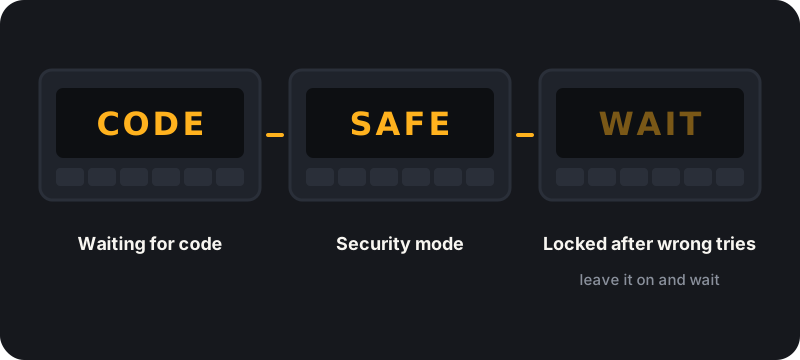
CODE
The radio is waiting for you to type the code.
SAFE
Common on Volkswagen group and some other radios. It usually means the radio is in security mode. Some units need to sit switched on for a while before they accept a code.
LOCKED or WAIT
Too many wrong codes have been entered. The radio makes you wait before you can try again.
General steps
Switch on
Switch the ignition on and turn the radio on.
Set each digit
Use the preset buttons to set each digit. On many radios button 1 sets the first digit, button 2 the second, and so on.
Confirm
Confirm, often by holding a preset button or pressing OK.
Exact button presses differ by brand, so check your brand page too.
Before you press anything
- Write the code down and have it in front of you.
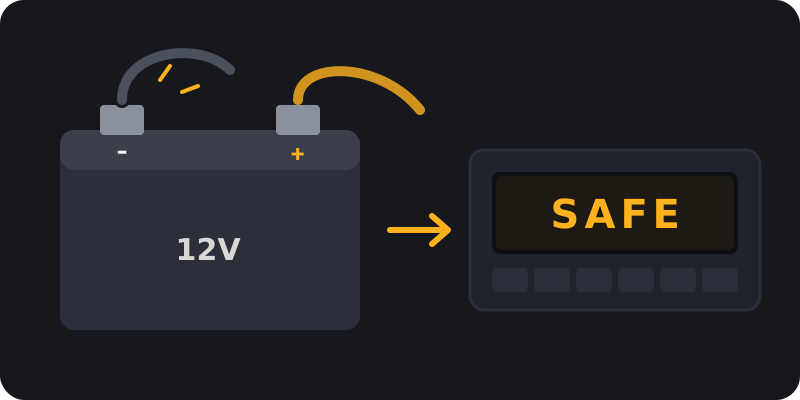
- Make sure the battery is fully charged or the engine is running, so the radio does not lose power mid entry.
- Go slowly. Each preset usually steps its digit up by one, so count presses carefully.
- If a digit goes past 9 it will normally roll back to 0.
If you get locked out
Leave the radio switched on with the ignition on until the wait message clears. This can take from minutes to hours depending on the radio. Do not keep guessing. Each wrong try can make the next wait longer.
Brand tips
- Ford radio code
- Vauxhall radio code
- Renault radio code
- Volkswagen radio code
- Honda radio code
- Toyota radio code
Keep the code safe
Once your radio is working, store the code somewhere other than the car, such as a note on your phone or with your V5C. You will usually need it again after the next battery change.
Frequently asked questions
Why does my radio ask for a code after a battery change?
It is an anti theft feature. When power is cut, the radio needs the code to prove it is back in the right car.
What happens if I enter the wrong code too many times?
The radio locks for a set time. Leave it on and wait before you try again.
Will I need the code every time I change the battery?
Usually yes, so keep the code somewhere safe once you have it.
My radio still will not accept the code. What now?
Check you entered every digit in the right order, then wait for any lock timer to clear. If it still fails, email support@radiocodefast.com with your serial and a photo of the label.
Need the code?
Send a free request with your serial. Our team retrieves your code and emails it to you.
More questions? See the radio code FAQ or how to find your serial.