Ford radio code from your serial number
If your Ford radio is asking for a code after a battery change, you will need the four digit code that belongs to that unit. Here is how to find the serial and get the code back.
- Free request
- Processed by our team
- Owners only
Request your free radio code
Free for owners. A person on our team handles every request.
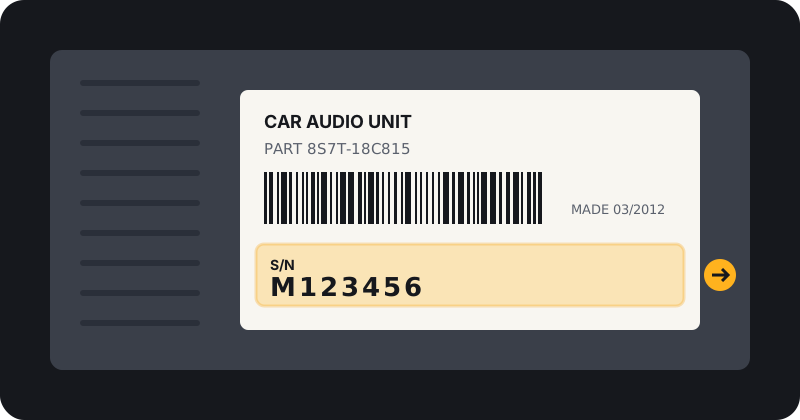
Where to find your Ford radio serial
Ford radio serials usually start with M or V followed by six digits. Some older units show it if you hold presets 1 and 6 while switching the radio on. Otherwise it is on the label on the radio casing. Copy the letter as well as the digits.
More help: how to find your radio serial number.
M or V: why the letter matters
The letter at the start tells our team which family of Ford radio you have. A serial typed without it, or with the letter O swapped for a zero, is one of the most common reasons a request needs a second look.
How we handle Ford requests
Ford codes from supported M and V serials are processed by our team and emailed to you. Timing may vary.
Every request needs your email, accepted terms and an owner statement. This service is for owners restoring their own radio only.
Official Ford options
Ford advises checking for the radio code card in your owner's pack. A Ford dealer can also help, usually with proof of ownership. See Ford UK support for details.
Newer Ford systems
Many newer Ford units with SYNC do not use a typed radio code. If your screen does not ask for a code, you may not need one.
Common Ford symptoms
- Screen shows KEYCODE or CODE: the radio is waiting for the four digit code.
- Screen shows LOCKED: too many wrong tries. Leave the radio on with the ignition on until it clears.
- No code prompt at all: you may have a newer system that does not use one.
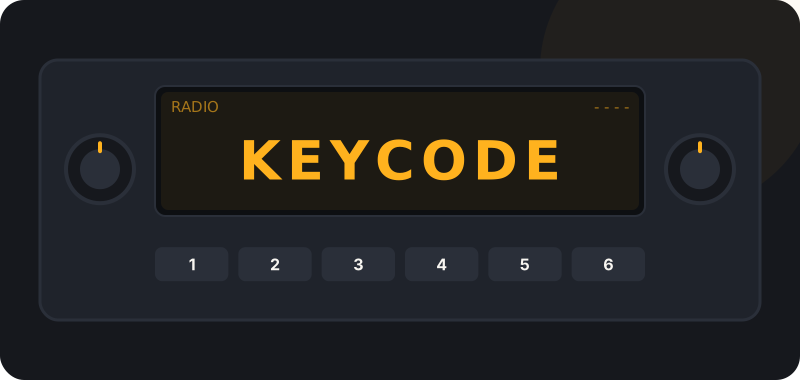
Entering your Ford code
Use the preset buttons to set each digit and confirm. Too many wrong tries will lock the radio for a while. Full steps: how to enter your radio code.
Frequently asked questions
Where is my Ford radio code card?
Look in the owner's manual wallet or the glovebox. It is a small card that may show the code and serial.
Do newer Fords with SYNC need a radio code?
Many do not. If yours is not asking for a code, a power reset or dealer visit may be what you need.
Which Ford serials do you support?
M and V serials on many units.
Is my Ford code sent straight away?
No. Every Ford request is processed by our team and the code is emailed to you. Timing may vary.
Ready to request your Ford code?
It is free. Our team processes every request and emails your code.
Other brands: radio codes by brand. General questions: FAQ.